
- Veröffentlicht
- Aktualisiert
- Aktualisiert
- Lesezeit
- 7 Min. Lesezeit
LCD Digital Signage: Floor Standing Display Buying Guide
Learn how to choose a floor standing LCD digital signage display. Compare screen size, brightness, Android, touch, and remote management. Get a free quote.
Auf dieser Seite
Buying floor standing LCD digital signage in the EU or US starts with paperwork most spec sheets hide. A screen that stands freely on a sales floor must be documented for CE compliance under the EU's applicable low-voltage and electromagnetic compatibility (EMC) regulations, meet RoHS substance restrictions, and satisfy FCC Part 15 rules for the US market. Skip that step and the buying decision collapses later — at customs, at insurance review, or after a compliance audit of a store you outfitted last year.
For B2B buyers the format itself changes the economics. Unlike wall-mounted panels, a floor standing unit is portable, claims floor space instead of wall space, and needs no structural mounting. Those three differences drive every specification decision below.
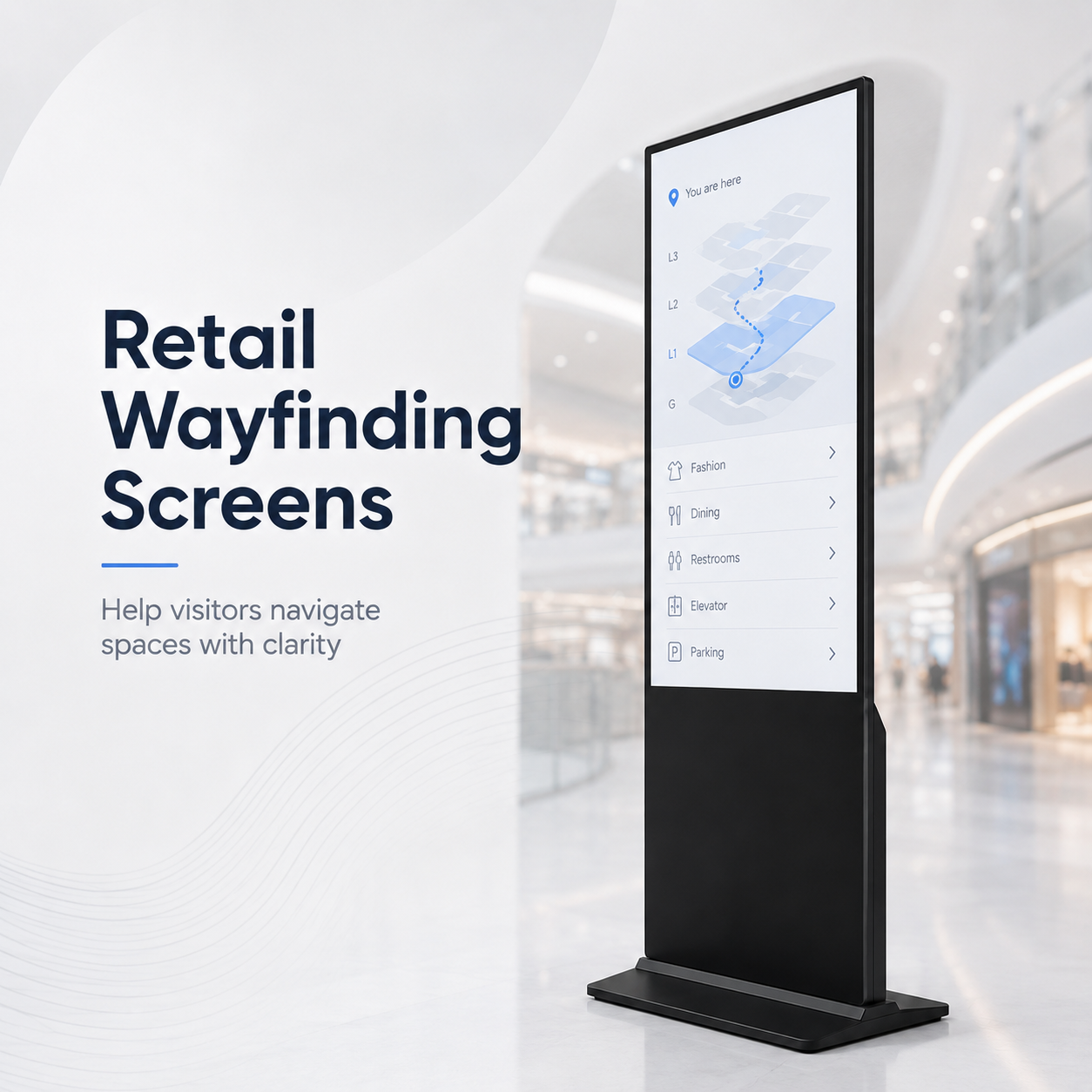
A floor standing LCD digital signage display is a self-contained advertising screen mounted on a weighted floor base, sized for freestanding placement in shops, lobbies, and queue areas. It changes the purchase decision because it is portable on lockable casters, reclaims high-footfall space that walls cannot reach, and avoids structural mounting cost — but only when certified EU/US compliance, stability, and remote management are specified before you order.
What Is a Floor Standing LCD Display and Why It Is Different
A floor standing display is an all-in-one advertising kiosk on an integrated base, designed for freestanding placement in high-traffic retail and public spaces. It differs from wall-mounted signage in three ways that matter to a purchasing manager: it moves, it occupies floor square footage, and it carries its own structural and electrical requirements.
The decision impact is the portability. If your campaign calendar rotates weekly — new arrivals promo, then a loyalty push, then a brand moment — a unit on lockable casters can be repositioned during off-hours without an installer, a wall anchor survey, or a second cabling job. That flexibility is the strongest argument for the floor standing format over fixed commercial displays bolted to a wall, and it is exactly the argument competitor content rarely makes.
5 Mistakes Buyers Make with Floor Standing Digital Signage
Generic spec lists dominate the search results for floor standing LCD digital signage. They rarely tell you what fails in practice. Based on common deployment patterns, these are the five avoidable errors:
- Buying a bigger screen than the floor footprint justifies. A 65-inch panel two meters from a queue line wastes both money and walkway. Size to viewing distance first, not to showroom ego.
- Overpaying for brightness you will never use. For indoor placement 700–1,500 nits is the band vendors normally quote; super-high figures matter only near unshaded glass. Confirm the sustained-brightness number, not the marketing peak.
- Dismissing Android as a downgrade. Most major cloud CMS platforms run natively on Android systems-on-chip, which keeps hardware cost down while delivering the scheduling and content tools you need. Evaluate the software stack, not the OS label.
- Ordering without wheels when you need flexibility. Lockable casters add little cost and enable re-layouts; fixed feet force you to call a technician every time the store plan changes.
- Ignoring remote management. Without cloud CMS compatibility, every content update becomes an on-site USB visit — and that labor cost, not the panel price, is what silently inflates your total ownership cost.
How to Match Screen Size and Orientation to Your Space
Sizing a floor standing display is a geometry exercise, not a preference. The method below gives you a defensible spec before you ask for quotes:
- Measure the viewing distance from the main traffic flow to where the unit will sit. The screen height should be roughly one-third of that distance for comfortable legibility.
- Choose orientation by content. Portrait suits promotional and lifestyle imagery at eye level; landscape suits menus, schedules, and mixed media. Confirm your content producer can deliver the aspect ratio.
- Verify the floor footprint including the base and the swing of the door if the store is narrow. A stable unit needs a base wider than the screen at a practical tipping angle — ask for the stability test method in writing.
- Align the screen center near average standing eye level so passersby engage without craning. In many retail settings that favors units in the 43–55 inch class over 65 inches unless the space is a lobby or atrium.
For an example of the upper size band, review the spec sheet on our 65-inch floor-standing digital signage unit and ask how its footprint and base weight behave on your floor finish.
Quick criteria comparison for your shortlist
| Criterion | What to compare on each quote | Why it affects your decision |
|---|---|---|
| Screen size | 43”–55” mid-size | Fits queue lines and walkways |
| Brightness (indoor) | 700–1,500 nits sustained | Avoids glare cost near windows |
| Cooling / 24×7 rating | Fan-less or low-noise design | Dust and heat shorten panel life |
| Mobility | Lockable casters vs. fixed feet | Determines re-layout labor |
| OS / SoC | Android vs. Windows/Linux | Drives CMS compatibility and cost |
| Optional touch | Projected capacitive | Enables wayfinding and product lookup |
Brightness, Enclosure, and Other Specs That Actually Matter
Beyond the panel, floor standing units live or die on three specifications reviewers skip.
- Enclosure and cooling. Indoor floor units gather dust at ankle height. Look for a sealed or filtered enclosure with ventilation sized for the panel, so sustained brightness holds up across a 16-hour retail day. Ask the vendor to state the operating temperature range and the thermal test method.
- Wheels and stability. Lockable casters should engage securely and the base should resist tipping when someone leans on the screen. Request the declared stability test — a floor standing unit that topples in a busy aisle is a liability, not an asset.
- Touchscreen. Interactive wayfinding, product lookup, or queue-check-in justifies projected capacitive touch. Confirm the touch layer supports glove-friendly operation if your environment needs it.
Where one error-loop shows up repeatedly is the assumption that panel quality equals system quality. Comparing against what most LCD digital signage buyers get wrong will save you from treating the display like a consumer TV on a stand.
Remote Management and Customization: What to Demand
A floor standing screen you cannot update from a desk is a recurring labor invoice. Demand these capabilities in writing:
- Cloud CMS compatibility with scheduling, playlists, and multi-zone layout — the unit should accept content pushed over the network without a technician touching it. If you are still on USB workflows, plan the migration before you scale the fleet, as outlined in the cloud CMS vs. USB migration guide.
- Health monitoring for temperature, uptime, and storage so a failed unit reports itself instead of sitting dark for days.
- Customization of frame color, branding, and optional peripherals such as sensors or cameras — confirm these do not void the stability or thermal specification.
Risk Checklist: Warranty, Compliance, and Long-Term Value
De-risk the purchase with a short audit before signature:
- Compliance documentation. For EU and US sales, request the Declaration of Conformity referencing CE, and confirmation of FCC Part 15 and RoHS status. Treat a vague answer as a disqualifier. Ask whether a third-party mark such as TÜV is included and what it covers.
- Warranty scope. Compare years on parts and labor, and whether the backlight is covered separately. Make the vendor state the covered backlight threshold as a number you can enforce, because backlight longevity is where liability caps usually hide.
- Spare parts and lead time for the power supply and panel — ask how fast a replacement ships to your region.
- Total cost of ownership. Model five years of energy draw and expected service visits against the vendor question timeline so the cheapest quote does not become the costliest fleet.
Frequently Asked Questions
What is the ideal screen size for a floor standing digital signage display?
Sizing follows viewing distance, not a fixed rule. From the main traffic flow, screen height should be about one-third of the distance to the viewer. That normally lands mid-size retail units in the 43–55 inch class, with 65 inches and up reserved for lobbies, atriums, and larger open spaces.
How bright should an indoor floor standing LCD display be?
For typical indoor retail placement, 700–1,500 nits is the realistic band. Go higher only when the unit sits near unshaded windows or glass facades. Ask the vendor for the sustained-brightness figure under continuous operation, not the marketing peak value.
Should I choose an Android or Windows-based floor standing display?
Choose by software stack, not platform loyalty. Android-based systems run most major cloud CMS platforms at lower hardware cost, which suits retail fleets. Windows or Linux makes sense when you need custom applications or deeper control. Confirm your content management platform supports the OS before committing.
Can floor standing displays be customized to match my brand?
Usually yes. Frame color, logo placement, and integrated peripherals are common options. Verify in writing that customization does not change the thermal, stability, or compliance specifications, and request samples of finish and color before mass ordering.
Next Step: Get a Tailored Quote for Your Deployment
You now have the criteria a credible floor standing LCD digital signage quote must meet: certified EU/US compliance, a stability and cooling story, lockable casters for flexibility, and cloud remote management as standard. Gather your screen size, quantity, location, and content requirements, then compare vendors against this checklist.
Request a quote for your floor standing display, and include your store footprint and viewing distances so the sizing recommendation reflects your real space rather than a generic catalog answer.
Wintouch Engineering-Team
Our commercial-display engineers and product team review specifications against current factory records, deployment requirements and published standards. Learn more about our Engineering-Kompetenz und Fertigungsbetrieb.
Weiter recherchieren
Product facts and engineering claims follow our data and editorial policy.
Fragen zu Ihrem Einsatz?
Teilen Sie unserem Engineering-Team Umgebung, Bildschirmgröße und Integrationsanforderungen mit.