
- Veröffentlicht
- Lesezeit
- 7 Min. Lesezeit
Retail Digital Signage: Increase Engagement by Store Type
Discover how retail digital signage boosts engagement with real examples for fashion, supermarkets, malls, electronics stores, and restaurants. Get hardware guidance and a quote.
Auf dieser Seite
Retailers rarely lose because shoppers ignore the merchandise — they lose because shoppers never notice the merchandise. Static posters go unseen, restocking removes the "wow," and every product demo needs a staff member who is busy elsewhere. Retail digital signage solves that specific problem: it puts a live argument in front of the customer at the exact moment they can act on it.
Retail digital signage increases engagement by replacing static posters with dynamic, context-aware content that adapts by time of day, inventory, or customer location. Screens placed at decision points lift dwell time, prompt impulse purchases, and reinforce brand recall — turning a display into a measurable sales driver rather than decoration.
How Retail Digital Signage Increases Customer Engagement
Most articles about digital signage stop at "it catches the eye." That is the wrong frame for a purchase decision. The right frame: screens shorten the distance between attention and transaction. A video loop of a jacket on a moving model triggers a try-on; a recipe on an end-cap triggers an ingredient add-on; a comparison chart at the shelf prevents the "let me check online first" walk-out.
What separates a good deployment from a failed one is not the panel — it is whether the content is situationally relevant. A screen showing the same promo at 10 a.m. and 7 p.m. is a digital poster. One that changes with the daypart, the queue length, or the weather is an engagement engine. Plan for that operational layer before you pick hardware.
Fashion Stores: Creating Immersive Brand Moments
Fashion customers buy aspiration, not fabric. Use screens at the entrance and near fitting rooms to run seasonal lookbooks and influencer or stylist content that suggests full outfits — then let those visuals drive cross-sells (the bag, the shoe, the belt shown with the coat).
Fitting-room screens with companion "recommendations" prompts encourage the shopper to request an alternate size or accessory while they wait. That moves a task from staff to self-service and keeps associates on the floor. Aesthetics matter here: keep the content minimal, on-brand, and at eye level — clutter breaks the premium mood you just paid rent for.
Supermarkets: Driving Impulse Sales and Basket Size
Grocery margins are thin and decisions happen in seconds. Place screens on end-caps and in checkout queuing zones to rotate real-time promotions, recipe ideas, and loyalty offers. A 30-second recipe loop beside the pasta aisle quietly adds the sauce, the parmesan, and the wine to the basket.
The bigger lever is integration: when a screen connects to your POS or inventory feed, you can run time-based discounts on perishables near close and avoid promoting out-of-stock items. Wall-mounted displays near checkout are ideal for this because they hold view during the queue, so consider a compact 18.5" wall-mounted unit over legacy paper pricing zones.
Shopping Malls: Wayfinding and Tenant Synergy
A mall's challenge is distributing foot traffic across the entire lease plan, not just the anchor stores. Interactive touch directories at entrances and elevator lobbies do double duty: they guide shoppers and simultaneously promote tenant campaigns, turning dead elevator banks into sponsored "ad space."
Networked screens on common paths let tenants co-market — a cinema ad on the food-court loop, a kids' store promo during family hours — which raises overall dwell time and gives leasing managers data to share with tenants. For high-traffic lobbies, a 65" floor-standing display offers the durable, glare-resistant surface a directory needs in continuous operation.
Electronics Stores: Enabling Product Research at the Shelf
Electronics buyers research before they buy — often while standing in your aisle. Interactive displays on product walls let them compare specs, run demo videos, and check real-time inventory without pulling a salesperson away from another customer. That self-service research is what converts a browse into a box carried to the register.
Show ratings and reviews directly under the featured item. Social proof at the shelf shortens decision time and justifies premium pricing far more credibly than a staff claim. For large or spatial products such as TVs, an AR or virtual-size overlay reduces the "will it fit my wall?" anxiety that kills the sale.
Restaurants: Tempting Through Digital Menus
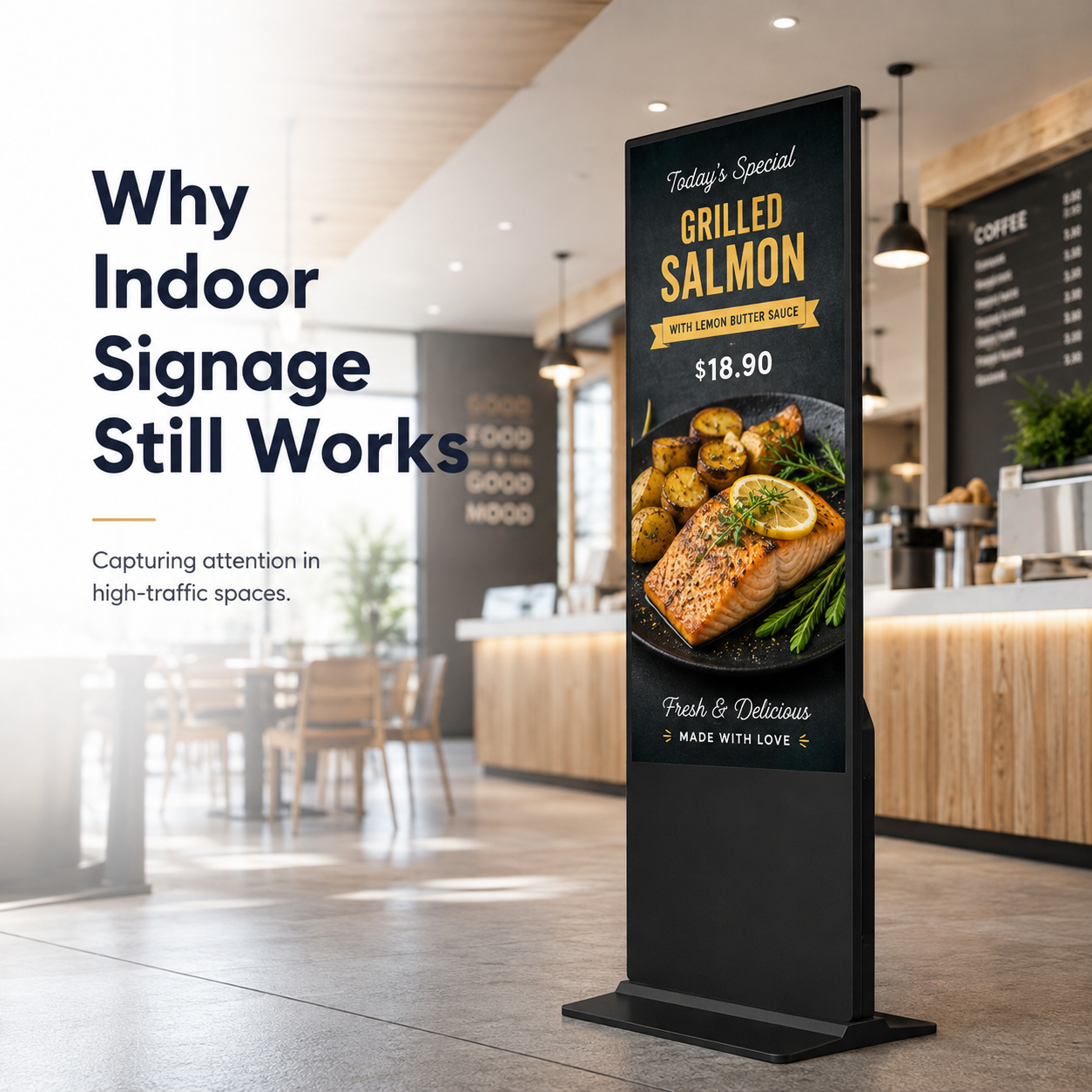
Digital menu boards outperform static menus because motion sells food. Dynamic layouts with vivid imagery can be reprogrammed by daypart — breakfast items in the morning, family deals at dinner — and can aggressively upsell combos and add-ons at the counter without pressure on staff.
The difference between a menu board and an image slideshow is integration: QSRs that sync screens with the kitchen display system avoid the bottleneck frustration of promoting an item the line can't produce. For counter-service restaurants, pairing a floor-standing or wall board at the order point with daypart-aware content is the fastest engagement win available.
Hardware Considerations: Match the Panel to the Vertical
The content strategy above only works if the hardware survives the environment it sits in. Use this comparison to anchor your specification, not to guess:
| Store type | Best placement | Form factor | Light consideration |
|---|---|---|---|
| Fashion | Entry, fitting rooms | Portrait, eye-level | Indoor 300–500 nits |
| Supermarket | End-caps, checkout | Landscape, wall-mount | Indoor; avoid direct ceiling glare |
| Mall / directory | Lobbies, elevators | Touch, floor-standing | High ambient light — brighter panel |
| Electronics | Product walls, shelves | Interactive touch | Indoor; matte finish preferred |
| Restaurant | Counter, window | Landscape or portrait | Sun-facing windows need more |
Indoor public spaces typically run comfortably at 300–500 nits; a screen in a sun-facing storefront window needs significantly higher luminance to stay legible, so validate that exposure before you order. A consumer TV will not give you the 24/7 reliability or the enterprise warranty you are paying for — a commercial display beats consumer TVs on total cost within about three years. Before you commit capital, read about what most buyers get wrong in purchasing.
Common Pitfalls That Kill Retail Signage ROI
- Stale content. Shoppers stop noticing a screen within days if nothing changes. Commit to a content calendar and push updates remotely.
- Wrong placement. Blocked sightlines and glare kill readability. Test every screen from the shopper's viewing angle, at the busiest hour.
- Consumer hardware. TVs fail under heat and long operating hours, causing downtime and repeat replacement costs.
- Over-stimulation. Blinking or over-bright content creates annoyance rather than engagement. Restraint reads as premium.
FAQ: Retail Digital Signage, Decided
How does digital signage increase customer engagement in retail?
Screens capture attention with motion and change the content by time, location, or stock level — so the message always matches the moment the shopper is in. That relevance drives three measurable behaviors: longer dwell time, more impulse purchases, and stronger brand recall at the point of decision.
What is the typical cost of a retail digital signage deployment?
Cost varies widely because three independent factors drive it: panel hardware, mounting, and content software. There is no honest single "average price." Ask for an itemized quote that separates screens, installation, and the cloud CMS monthly fee, and scale it to your store count.
What screen brightness is needed for indoor retail vs storefront windows?
Indoor retail spaces generally need 300–500 nits. Sun-facing storefront windows require far more to stay readable — confirm the exact exposure with the manufacturer in writing, and if the window gets direct sun, plan for a high-brightness panel rather than guessing.
How do I measure the ROI of digital signage in a physical store?
Pick one KPI before launch — dwell time, basket size, or promotion redemption. Measure a baseline with footfall counters or POS data, run a campaign window, then compare against a control store without screens. That before/after comparison is the only ROI number you should trust.
Can I use consumer TVs for retail digital signage?
Not for continuous retail operation. Consumer TVs are built for a few hours a day in a living room, not for endurance in heat and long hours, and they lack the commercial warranty. The replacement cost and downtime typically erase the upfront savings.
What software do I need for retail digital signage?
You need a content management system that updates screens remotely and on a schedule — daypart menus, changing promos, out-of-stock alerts. Many retailers still run USB sticks, but a cloud CMS is what keeps content fresh across locations without a site visit. If you are still on USB, a cloud CMS migration guide will show you the upgrade path.
Next Step: Get Expert Help Designing Your Retail Deployment
Industry bodies such as the Digital Signage Federation publish case studies and best practices, but no case study substitutes for a design matched to your floor plan, your staff, and your store count. Start your retail digital signage project with a free consultation and customized quote — bring your store types, your layouts, and the one KPI you most want to move (dwell time, conversion, or cross-sell), and our specialists will recommend screen sizes, brightness, mounting, and the software stack that fits. We will also put warranty terms and reference deployments in writing so you can verify before you invest.
Wintouch Engineering-Team
Our commercial-display engineers and product team review specifications against current factory records, deployment requirements and published standards. Learn more about our Engineering-Kompetenz und Fertigungsbetrieb.
Weiter recherchieren
Product facts and engineering claims follow our data and editorial policy.
Fragen zu Ihrem Einsatz?
Teilen Sie unserem Engineering-Team Umgebung, Bildschirmgröße und Integrationsanforderungen mit.