
- Publié
- Temps de lecture
- 5 min de lecture
Floor-Standing Digital Signage: The Complete B2B Buying Guide
A practical B2B guide to floor-standing digital signage: how to choose screen size, orientation, Android hardware, CMS and touch — and what to lock into a purchase order before you buy in bulk.
Sur cette page
Quick Answer
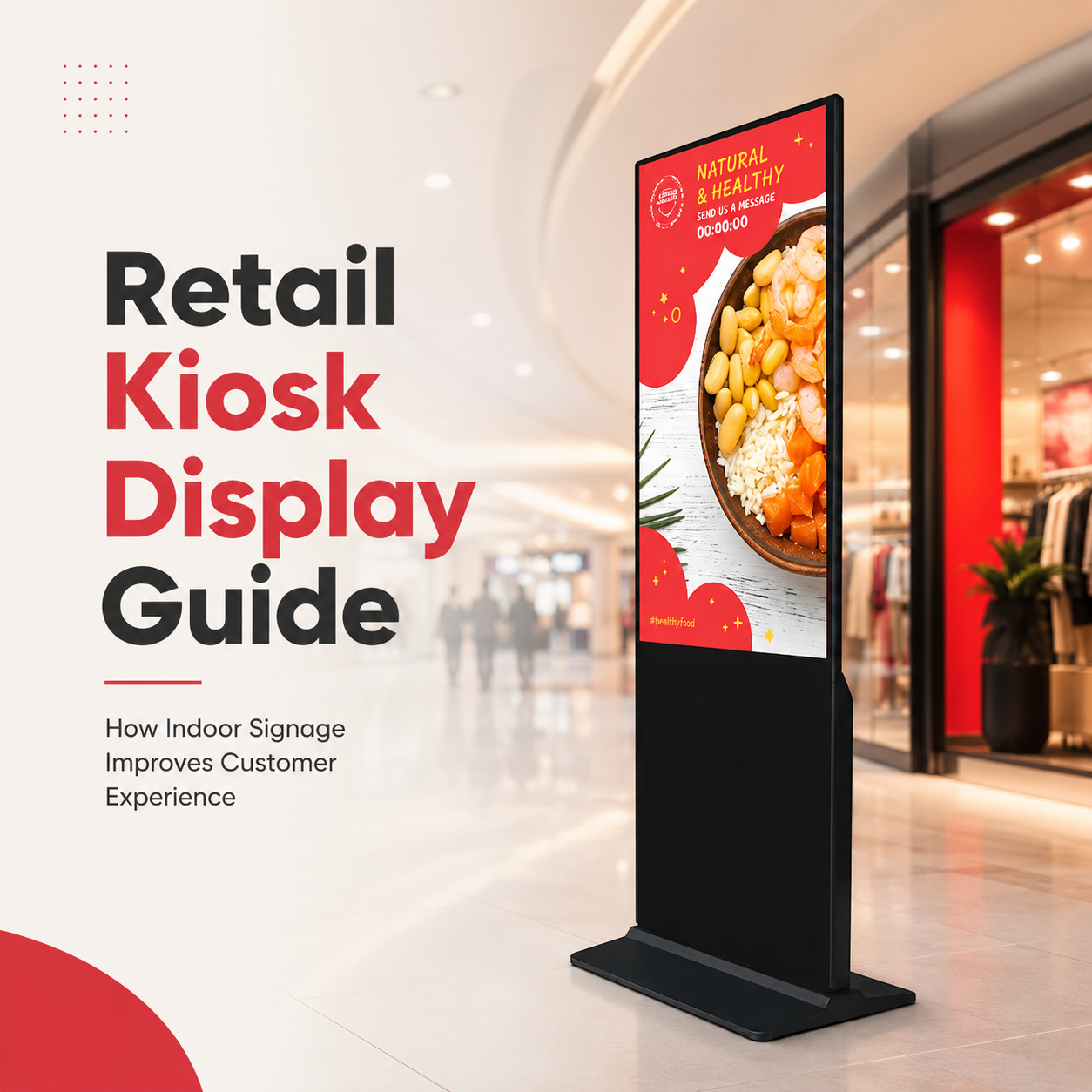
A floor-standing digital signage unit is a freestanding LCD totem running a built-in media player — usually Android — and driven by a CMS. Choose it in four decisions: screen size (43"–65" covers most retail and hotel lobbies), orientation (portrait for posters and menus, landscape for video walls and wayfinding), hardware (CPU/RAM/storage, touch or non-touch), and mobility (fixed base vs. wheeled). For B2B buyers, the specification that protects the project is the panel grade, the duty rating, and the warranty terms written into the purchase order — not the headline price.
Why Floor-Standing Beats Wall-Mount in Many Projects
Wall-mounted displays depend on the building. Floor-standing totems do not. They arrive as a finished asset: no structural survey, no landlord approval for a 55" bracket, no repositioning cost when the merchandising plan changes next quarter. For retail roll-outs, hotel lobbies, and exhibition booths that exist for four days, that flexibility is the whole business case.
The trade-off is that you are buying an enclosure, a power design, and a stand — not just a screen. That is why the buyer profile matters: if you are sourcing for multiple sites, the totem is a manufactured product, and it should be specified like one.
Screen Size: Match the Viewing Distance, Not the Wall
The most common sourcing mistake is buying the largest panel the budget allows. Size should be driven by how far the viewer stands and how long they look.
| Size | Typical application | Viewing distance |
|---|---|---|
| 32"–43" | End-of-aisle promo, hotel lift lobby, restaurant entrance | 1–3 m |
| 50"–55" | Retail flagship, reception, exhibition booth, menu board | 3–5 m |
| 65" | Lobby centrepiece, wayfinding, large-format brand content | 4–8 m |
Our own floor-standing range is built around this logic — 32", 43", 50", 55" and 65" panels (models FS320DS, FS430DS, FS500DS, FS550DS, FS650DS) — so a single project can mix sizes without mixing firmware generations.
Portrait vs. Landscape Orientation
Orientation is a content decision that becomes a hardware decision. Portrait suits posters, menus, fashion, and product cards where a person appears life-size. Landscape suits video, multi-column layouts, ticket information, and wayfinding.
Two rules to put in the specification:
- Confirm panel orientation is supported at the hardware level. A panel driven outside its rated orientation will show uneven backlight wear over time.
- Confirm the CMS rotates correctly before the roll-out, not after the units are installed in ten cities.
Android Hardware: The Part Buyers Under-Specify
A floor-standing totem is a computer. If the SoC, RAM, and storage are chosen to hit a price point, the unit will stutter on the content that actually sells the project.
| Component | Question to ask | Why it matters |
|---|---|---|
| SoC | Which chip, and is it still in long-term supply? | Determines decoding of 4K and multi-window layouts |
| RAM | 2 GB or 4 GB? | Slow RAM shows up as choppy video months later |
| Storage | 32 GB or 64 GB? | Scheduled content and logs fill small volumes |
| OS | Android version + update path | A frozen OS strands the fleet |
| GMS | Google Play services required? | Affects which CMS apps can be installed |
| Wiring | HDMI-in, USB, LAN, RS-232 | Determines integration with existing AV systems |
Our units ship on a Rockchip RK3566 quad-core Cortex-A55 platform with 2 GB RAM (4 GB optional), 32 GB storage (64 GB optional), running Android 11 with a Debian 11 option — a configuration chosen for content decoding headroom rather than benchmark numbers.
CMS: Choose the Platform Before the Panel
Buyers often shortlist hardware first and discover the CMS cannot do scheduled playlists across time zones. Decide the CMS first, then confirm the display runs it natively.
- Does it support scheduled playlists and day-parting?
- Does it push firmware and content over the network, or does someone walk to each totem with a USB stick?
- Who owns the content library if you change CMS vendors?
A display that cannot be updated remotely is a display that costs labour every time marketing changes a price.
Touch or Non-Touch?
Touch adds cost, thickness, and a failure mode. Use it when the interaction is genuinely useful: product configurators, wayfinding with search, self-service ordering, exhibition lead capture. Use non-touch when the job is pure broadcast — brand films, menus, promotions.
For touch, specify the technology: PCAP for multi-touch glass-front kiosks, resistive where gloves or stylus input is expected, IR where cost matters more than aesthetics. And specify the glass — an unprotected touch layer in a public space becomes a scratch magnet.
Wheels, Bases and Indoor Applications
A wheeled base turns a fixed asset into a movable one — useful for exhibitions, pop-up retail, and hotel ballrooms that reconfigure weekly. A fixed base is more stable, harder to tip, and the safer choice for unsupervised public areas.
Typical indoor applications and the configuration that suits them:
| Application | Typical configuration |
|---|---|
| Retail store | 43"–55" portrait, non-touch, bright enough for window light |
| Hotel lobby | 55"–65", landscape or portrait, brand-locked CMS |
| Exhibition | 50"–55" on wheels, touch optional, fast network setup |
| Restaurant / QSR | 43"–50" portrait menu, high brightness, 16/7 duty |
What to Lock Into the Purchase Order
Price is negotiated last. These are the terms that decide whether the roll-out succeeds:
- Panel grade and dead-pixel standard — stated in the quote, not implied.
- Duty rating — 16/7 vs. 24/7, matched to actual operating hours.
- Golden sample — an approved reference unit both sides sign off.
- Warranty terms — duration, what is excluded, who pays return freight.
- Spare parts buffer — typically 1–3% of the order for panels and boards.
- Certification ownership — CE / UKCA / FCC / RoHS certificates held by the seller.
- Engineering change notice (ECN) — no silent component swaps after approval.
Working With a Floor-Standing Digital Signage Manufacturer
LIONTEK (Wintouch) is a commercial digital signage manufacturer producing floor-standing totems alongside wall-mounted and outdoor displays. That means a single project can be sourced with consistent firmware, consistent panel grading, and one point of accountability for the enclosure, the player, and the CMS integration — rather than a screen from one supplier and a stand from another.
We support standard catalogue configurations and OEM/ODM programmes: logo printing, housing colour and finish, enclosure modification, screen size, touch function, brightness, Android configuration, and mechanical or software customisation. Because the enclosure is our own product, customisation is an engineering conversation, not a reseller markup.
Next Step
Send us your target size, orientation, operating hours, and whether touch is required. We will return a quotation stating the panel grade, duty rating, lead time, and the spare-parts policy — so you can compare like for like before you commit to a bulk order.
Équipe d'ingénierie Wintouch
Our commercial-display engineers and product team review specifications against current factory records, deployment requirements and published standards. Learn more about our capacité d’ingénierie et activité de fabrication.
Poursuivre vos recherches
Product facts and engineering claims follow our data and editorial policy.
Une question sur votre déploiement ?
Partagez votre environnement, la taille d'écran et les exigences d'intégration avec notre équipe d'ingénierie.