
- Publié
- Temps de lecture
- 5 min de lecture
Comment choisir un kiosque au sol : le guide d'achat 2026
Un guide pratique, axé sur les spécifications, pour acheter des kiosques au sol et des totems pour le commerce de détail, l'orientation, l'hôtellerie et la banque — taille d'écran, luminosité, tactile, OS, indice de protection, conformité ADA/UE, et comment sécuriser l'approvisionnement OEM/ODM.
Sur cette page
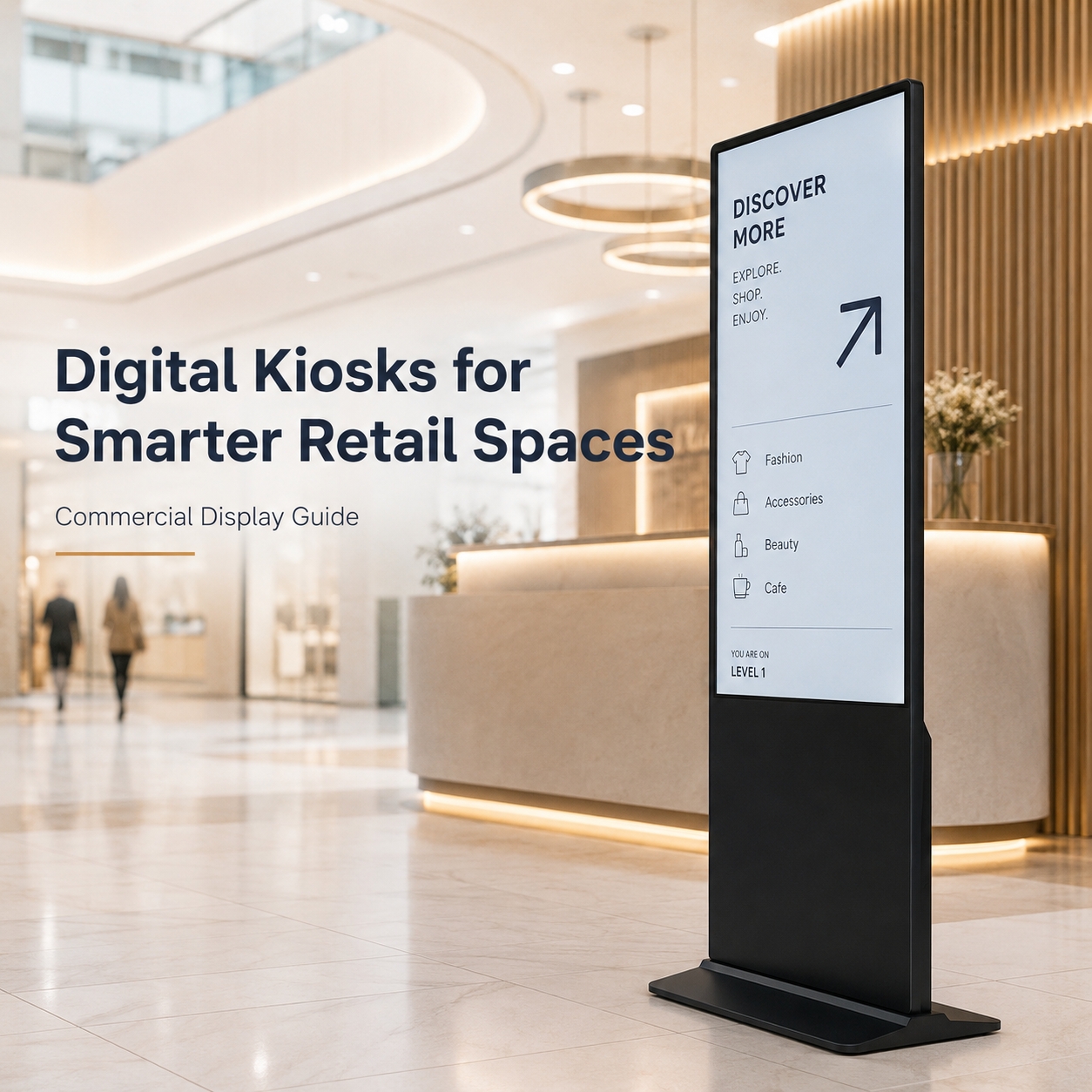
Un kiosque au sol est un écran tactile interactif autoportant utilisé pour l'orientation, la commande en libre-service, l'enregistrement et les services d'annuaire dans les espaces intérieurs à fort trafic. La décision d'achat importante n'est pas « quel modèle est le plus beau » mais quelle combinaison de taille d'écran, luminosité, technologie tactile, OS/compute, indice de protection et certification régionale correspond à votre environnement de déploiement et à votre flux de passage — car chacun modifie le coût total de possession et le risque de défaillance prématurée. Ce guide accompagne un acheteur B2B de l'adéquation à l'usage à la comparaison des spécifications, en passant par la certification et la réduction des risques OEM/ODM, et se termine par la façon d'obtenir un devis sur mesure.
Commencez par l'environnement de déploiement, pas par l'écran
Les kiosques au sol échouent pour deux raisons : une mauvaise spécification environnementale ou une mauvaise certification. Avant de comparer les prix, répondez à ces questions :
- Intérieur ou semi-extérieur ? Un hall de magasin, un hôtel ou une agence bancaire est en intérieur. Une vitrine, un centre commercial extérieur ou une station-service nécessite un panneau plus lumineux et un boîtier scellé.
- Flux de passage et intensité tactile ? Un guide d'orientation dans un hall est peu utilisé ; un kiosque de commande ou de menu fonctionne presque en continu pendant 12 à 16 heures et subit des touches plus fortes.
- Région de déploiement ? Le marché UE/US exige des conformités et certifications (CE, RoHS, FCC, ADA le cas échéant) ; de nombreux acheteurs SEA/MENA privilégient le coût, la MOQ et le délai de livraison. Le bon fournisseur prend en charge les deux, mais vous devez indiquer votre région dès le départ.
- Qui le gère ? La gestion à distance via CMS est plus importante que les spécifications brutes une fois que vous avez plus de quelques unités sur le terrain.
Comparaison des spécifications : ce qui diffère réellement entre les kiosques
| Spécification | Entrée / valeur | Milieu / interactif | Haut / semi-extérieur |
|---|---|---|---|
| Taille d'écran | 21,5"–32" | 32"–43" | 43"–65" |
| Luminosité | 350–500 nits | 500–700 nits | 1000–1500 nits |
| Tactile | IR / résistif | PCAP 10 points | PCAP 10 points, compatible gants |
| OS + compute | Android RK3566, 4–8 Go | Android RK3588 / Win, 8–16 Go | Win i3/i5 ou RK3588, 16–32 Go |
| Boîtier | Tôle, intérieur IP30–IP43 | Verre trempé, IP43–IP54 | Scellé, IP54+ / refroidissement sans ventilateur |
| Usage typique | Menu, annuaire simple | Orientation, commande | Vitrine, libre-service, banque |
L'erreur de spécification la plus courante est de choisir un panneau intérieur de 350 nits pour un emplacement exposé à la lumière directe d'une fenêtre — l'écran devient illisible en fin de matinée. S'il y a le moindre risque de lumière directe ou réfléchie, prévoyez dès le départ un panneau de 1000+ nits ; le rétrofit ultérieur coûte bien plus cher que de le spécifier maintenant.
Certification et conformité : la partie que les acheteurs négligent
- UE : CE et RoHS sont des prérequis ; la conformité EN pour la sécurité électrique est attendue pour les déploiements bancaires et hôteliers.
- US : Certification FCC, plus considérations d'accessibilité ADA (portée, hauteur de montage) pour les kiosques publics.
- MENA / marchés orientés export : confirmez le package de certificats avec votre fournisseur — la couverture CE/RoHS/FCC varie selon le fabricant, et vous ne pouvez pas la rétrofiter à moindre coût.
- Demandez les copies des certificats, pas seulement la déclaration marketing. Une usine qui expédie un RCD qui échoue à l'arrivée vous coûte des semaines de déploiement.
Approvisionnement OEM/ODM : comment sécuriser l'achat
- Commandez toujours un échantillon de pré-production avant de vous engager en volume — vérifiez la luminosité, la sensibilité tactile, le montage et le comportement thermique dans votre environnement réel.
- Confirmez la MOQ, le délai de livraison et la personnalisation (logo, couleur du cadre, découpes du boîtier) avant de signer ; les acheteurs SEA/MENA doivent peser ces éléments honnêtement par rapport au coût unitaire.
- Vérifiez que le panneau est conçu pour un fonctionnement continu 24/7, et non pour un usage grand public.
- Confirmez la gestion à distance (CMS/Android/Win) afin de pouvoir pousser du contenu et des mises à jour sur l'ensemble du parc depuis un seul endroit.
Quelle configuration de kiosque au sol correspond à votre cas d'usage ?
- Commande en libre-service / menu — 32"–43" PCAP, luminosité moyenne, Android ; privilégiez la rapidité et la facilité de mise à jour du contenu.
- Orientation / annuaire — 43"–49" portrait, haute fiabilité tactile, souvent avec un boîtier plus haut ; privilégiez la portée et la lisibilité de la carte.
- Hôtellerie / enregistrement hôtelier — 21,5"–32" unité de bureau ou de hall ; privilégiez un faible bruit, une image de marque propre et un emplacement compatible PCI.
- Banque / libre-service — 43"–65" renforcé, haute luminosité, scellé ; privilégiez la disponibilité, la durabilité et la conformité.
Prochaine étape : obtenez un devis sur mesure
Les kiosques au sol sont un actif à longue durée de vie, donc bien les spécifier du premier coup est la chose la plus économique que vous puissiez faire. Si vous connaissez votre cas d'usage, votre région cible et votre quantité, nous vous aiderons à trouver le kiosque tactile au sol de 32"–65" adapté — avec un package de certificats clair, une MOQ et un délai de livraison. Parcourez notre gamme de kiosques au sol ou demandez un devis avec les détails de votre environnement et de votre empreinte.
FAQ
Quelle doit être la luminosité de l'écran d'un kiosque au sol ? En intérieur, 350–500 nits suffisent généralement. Si l'unité est exposée à la lumière d'une fenêtre ou en semi-extérieur, choisissez 1000–1500 nits — les panneaux à haute luminosité font la différence entre lisible et inutile.
Quel OS doit utiliser un kiosque au sol ? Pour l'affichage de contenu pur et l'orientation, Android (RK3566/RK3588) est rentable et facile à gérer. Pour les applications interactives lourdes, les intégrations POS ou les périphériques, une unité Windows avec un processeur de classe i3/i5 est plus flexible.
Quelles certifications un kiosque au sol doit-il avoir ? CE et RoHS pour l'UE, FCC pour les US, plus des considérations d'accessibilité ADA pour les déploiements publics aux US. Demandez toujours les copies réelles des certificats à votre fournisseur.
}Équipe d'ingénierie Wintouch
Our commercial-display engineers and product team review specifications against current factory records, deployment requirements and published standards. Learn more about our capacité d’ingénierie et activité de fabrication.
Poursuivre vos recherches
Product facts and engineering claims follow our data and editorial policy.
Une question sur votre déploiement ?
Partagez votre environnement, la taille d'écran et les exigences d'intégration avec notre équipe d'ingénierie.