
- Published
- Reading time
- 6 min read
LCD Digital Signage: The Vendor Question Timeline
Master LCD digital signage sourcing: what to ask vendors in week 1, 4 & 12. Avoid costly mistakes and secure the right display partner. Request a quote now.
On this page
Buying LCD digital signage on spec sheets alone is how EU and US rollouts turn into write-offs. Between CE/FCC/RoHS compliance, outdoor environmental demands, and the gap between quoted luminance and shipped reality, a vendor’s answers — or evasions — in the first three months decide whether your network earns its keep or drains the budget. The fix is not a longer checklist. It is a timeline: the right questions in week 1, the right tests in week 4, and the right audit in week 12.
LCD digital signage procurement succeeds when you match the display to its environment first and audit the vendor second. Ask placement-driven questions in week 1 (indoor vs. outdoor, ambient light, viewing distance), demand spec-level evidence and a pilot unit in week 4 (brightness around 700 nits indoors and 1500+ nits outdoors, IP65 for wet locations), and verify CE/FCC/RoHS documentation, warranty depth and factory reliability in week 12. Following this order converts a screen purchase into a de-risked partnership.
Why the Timeline Beats a One-Time Vendor Comparison
Most competitor content hands you a “how to choose” list and stops. That approach fails EU/US buyers for a reason: resellers quote identical panels with wildly different compliance stories, and price-sensitive buyers discover too late that sub-spec backlights have dimmed below readability. The week-by-week structure forces vendors to show their work. It also surfaces the single most common failure pattern we see — a retailer optimizing purely on unit price, then replacing screens well before the expected service life.
Your de-risking questions split cleanly across twelve weeks because the information vendors can genuinely give you changes as the relationship deepens. Early answers come from brochures; later answers must come from test reports, factory audits and written warranties.
Week 1: Define the Display Environment Before You Compare Prices
Start with the physical reality, not the product catalog. Quantify three variables before contacting any vendor:
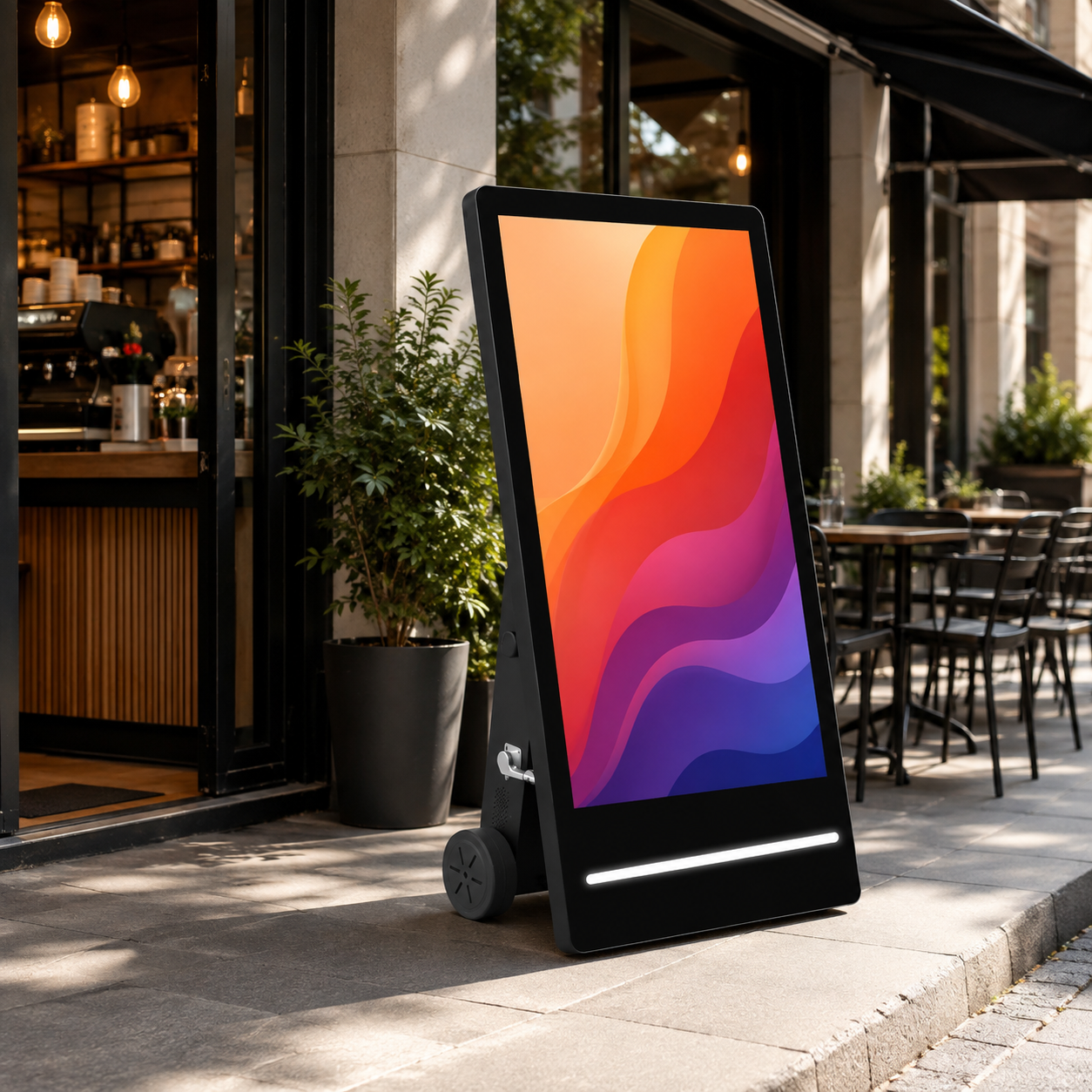
- Location and light: Indoor signage runs well near 700 nits of brightness; outdoor or direct-sun placements need roughly 1500 nits or more to stay legible. Ask every vendor’s recommended luminance for your exact placement.
- Exposure: For rain-prone or uncovered positions, IP65-rated waterproofing is effectively non-negotiable. For clean indoor lobbies, that rating buys nothing — paying for it is over-specification.
- Viewing distance: Up-close retail windows reward LCD’s high resolution; very large, distant public screens may be better served by LED — compare energy cost and carbon footprint before choosing.
If your placement is a storefront, question whether a transparent or window-facing display adds revenue over a standard opaque screen — a retail media decision with its own economics. For lighter indoor uses such as menus or lobby messaging, a compact wall-mounted 18.5-inch unit may be all you need — no 1500-nit panel required.
We advise against over-specifying brightness or ruggedness you do not need. It is the fastest way to inflate cost for zero audience benefit.
Week 4: Push for the Specs That Fail in the Field
By week 4 you should be comparing at least three vendors side by side — and challenging every number they send. Request luminance data, IP rating and backlight lifetime in writing, not as marketing bullets. Outdoors, a quoted figure below roughly 1200 nits is a warning, not a bargain.
For interactive deployments, ask whether the touch layer is projected capacitive or infrared, and how each behaves under bright light or with gloved users. If you are building a video wall, confirm whether the panels are truly bezel-less and what the visible seam measures once installed — a dimension that rarely appears on a spec sheet.
Content resolution deserves the same scrutiny. Whether an 8K versus 4K upgrade makes sense depends entirely on viewing distance and source material, not on marketing momentum.
Finally, demand a pilot unit or on-site demo in week 4. Never rely solely on spec sheets — test real brightness, touch accuracy and thermal behavior in your actual location before you commit volume pricing.
Week 12: De-Risk Compliance, Warranty and Supply
By week 12 the relationship is serious — which means it is time for documentation. Ask for test reports, not claims, on three fronts:
- Regulatory compliance: CE marking demonstrates conformity with applicable EU directives, FCC covers US emissions requirements, and RoHS restricts hazardous substances. Request the actual certificates and confirm any region-specific voluntary marks relevant to your market.
- Factory quality: If the vendor claims ISO 9001 registration, ask for the certificate number and audit scope. A genuine factory certification is verifiable; a reseller’s paraphrase is not.
- Warranty depth: Clarify exactly what is covered — backlight, touch module and integrated components are different risk profiles. Look for a written commitment of three or more years on the backlight, and define the return and replacement process in advance.
Assess supply chain reliability honestly: minimum order quantities, current lead times and the vendor’s track record on projects at your scale. For EU/US buyers, also confirm the vendor can ship and provide compliance documentation without friction.
What a Factory Partner Adds That Resellers Cannot
This is where the process changes character. As a manufacturer with more than 200 staff and eight production lines, we configure LCD displays to your exact brightness, size, mount and integration needs — a true OEM/ODM partnership rather than a hand-off of stock units. Factory-direct pricing removes the distributor margin from your cost base, and transparent lead times plus documented compliance support make the vendor relationship feel like an extension of your own team.
FAQ
What is the ideal brightness for outdoor LCD digital signage?
For direct-sun or high-ambient placements, look for roughly 1500 nits or higher; shaded outdoor and bright indoor areas perform closer to 1000–1200 nits, while standard indoor environments need only about 700 nits. Ask the vendor to recommend luminance for your specific placement rather than accepting a generic maximum figure.
How long do LCD digital signage panels typically last?
Commercial LCD panels are designed for continuous operation, but actual lifespan depends on backlight quality and operating environment. Request the backlight MTBF hours and the expected time to half-brightness in writing, then verify the warranty period matches that expectation. A vendor’s resistive answer is itself a useful signal.
What certifications should LCD signage have for EU/US markets?
For the EU, CE marking demonstrates conformity with applicable directives; for the US, FCC certification covers emissions. RoHS restricts hazardous substances in both markets. Request the actual test reports and certificate numbers — a verbal “we comply” is not sufficient for a procurement file.
How do I choose between LCD and LED for a smart city display?
Choose based on viewing distance and screen size. LCD delivers higher resolution for close-range reading and wayfinding, while LED suits very large displays viewed from a distance and typically offers better sunlight performance at scale. Weigh the energy draw and carbon footprint of each option before deciding.
Next Step: Request a Tailored LCD Signage Quote
Send us your project requirements — environment, ambient light, size, interaction level and volume — and our engineers will recommend the right configuration with a detailed spec sheet. If your rollout calls for a large-format presence, ask specifically about our 65-inch floor-standing digital signage. Request a tailored LCD signage quote today and, where it makes sense, request a sample unit to validate performance before you commit.
Wintouch Engineering Team
Our commercial-display engineers and product team review specifications against current factory records, deployment requirements and published standards. Learn more about our engineering capability and manufacturing operation.
Continue researching
Product facts and engineering claims follow our data and editorial policy.
Have a deployment question?
Share your environment, screen size and integration requirements with our engineering team.